
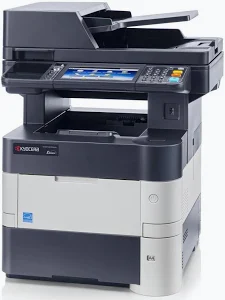
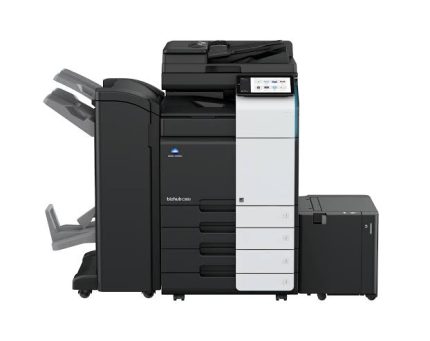
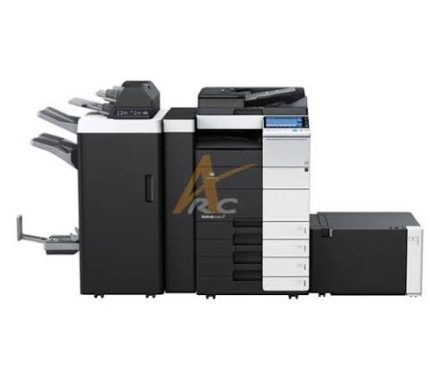
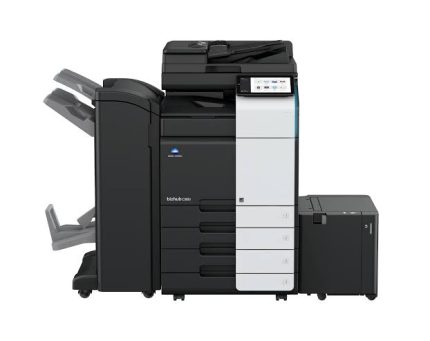
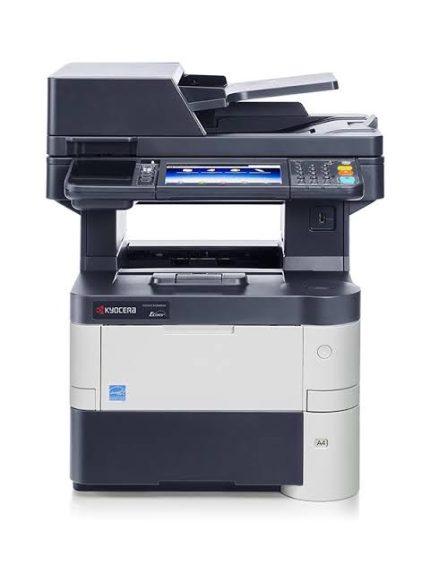
Kyocera ECOSYS M3550idn Monochrome Multifunction Printer
KSh 54,000.00
- Up to 50 pages per minute on A4
- Print, copy, colour scan, and fax functions
- 7-inch colour touchscreen
- Automatic duplex printing
- 1 GB standard memory, expandable to 2 GB
- Gigabit Ethernet and USB connectivity
- 75-sheet automatic document processor
- Expandable paper capacity up to 2,600 sheets
- ECOSYS long-life component design
- Suitable for high-volume office document workflows
Kyocera ECOSYS M3550idn Monochrome Multifunction Printer
The Kyocera ECOSYS M3550idn multifunction printer is designed for offices that require fast, dependable black-and-white document processing. It combines printing, copying, colour scanning, and faxing in one professional machine. Its high-speed output and flexible paper handling support demanding business workflows. The intuitive colour touchscreen also simplifies everyday tasks for busy teams.
Built with Kyocera’s ECOSYS technology, this multifunction printer uses long-life components designed to support durability and reduce maintenance frequency. It suits corporate offices, educational institutions, government departments, and other workplaces with substantial document volumes.
What Is the Kyocera ECOSYS M3550idn?
The Kyocera ECOSYS M3550idn is a monochrome laser multifunction printer with integrated print, copy, scan, and fax capabilities. It produces black-and-white documents while supporting colour scanning for digital workflows. Gigabit Ethernet and USB connectivity help integrate the machine into compatible office environments.
Its 7-inch colour touchscreen provides access to frequently used functions and supported business applications. Automatic duplex printing reduces manual handling when producing double-sided documents. For official product information, consult the Kyocera ECOSYS M3550idn specifications.
Technical Specifications
- Brand: Kyocera
- Model: ECOSYS M3550idn
- Printer type: Monochrome laser multifunction printer
- Functions: Print, copy, colour scan, and fax
- Print speed: Up to 50 pages per minute on A4
- Print resolution: Up to 1,200 dpi quality, using 1,800 × 600 dpi output
- Control panel: 7-inch colour touchscreen
- Processor: PowerPC 465S, 667 MHz
- Standard memory: 1 GB RAM
- Maximum memory: 2 GB RAM
- Standard paper input: 500-sheet cassette and 100-sheet multipurpose tray
- Maximum paper capacity: Up to 2,600 sheets with optional feeders
- Automatic document processor: 75 sheets
- Automatic duplex printing: Supported
- Network connectivity: Gigabit Ethernet
- USB connectivity: Hi-Speed USB 2.0 and USB host interfaces
- Maximum monthly duty cycle: Up to 250,000 pages
- Dimensions: Approximately 475 × 455 × 590 mm
- Weight: Approximately 23.3 kg
Specifications may vary by regional configuration and installed options. Confirm the exact unit and included accessories before purchase.
Why Choose the Kyocera ECOSYS M3550idn?
High-Speed Business Printing
The M3550idn delivers output at up to 50 pages per minute on A4 paper. This speed helps teams manage reports, invoices, contracts, forms, and administrative documents efficiently. Its fast first-page output also helps reduce waiting during routine print jobs.
Businesses handling recurring workloads can benefit from consistent monochrome printing. The machine is particularly suitable for offices where speed and dependable document production are important.
Print, Copy, Scan, and Fax in One Device
This multifunction printer consolidates several document-handling tasks into one workstation. Staff can print and copy paper documents, digitise records in colour, and send or receive faxes. Combining these functions can simplify office layouts and reduce the need for separate equipment.
Colour scanning supports digital document distribution even though the printer produces black-and-white output. Compatible workflows include scanning to email, network folders, FTP destinations, and USB storage, subject to configuration.
Flexible Paper Handling
The standard 500-sheet cassette and 100-sheet multipurpose tray accommodate everyday office printing. The multipurpose tray supports a range of paper types and sizes, including selected custom formats. Optional paper feeders can increase total input capacity to suit higher-volume environments.
Automatic duplex printing helps produce double-sided documents without manually turning pages. This feature is useful for internal reports, training materials, and longer business documents.
Clear Touchscreen Operation
The 7-inch colour touchscreen gives users a central interface for common tasks. Its tablet-like layout makes frequently used functions easier to access. Customisable shortcuts and job programs can also help standardise repetitive workflows.
For teams sharing one printer, an accessible control panel can reduce confusion and simplify daily operation. Supported business applications may extend workflow capabilities when configured appropriately.
Long-Life ECOSYS Technology
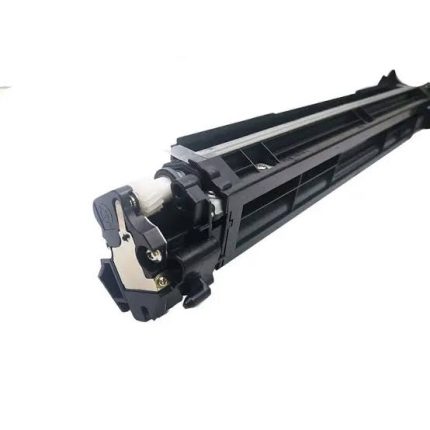
Kyocera’s ECOSYS design uses durable components intended to extend service life and reduce waste. The separate long-life drum design means the drum does not need routine replacement every time toner runs out. Actual maintenance intervals depend on usage, environment, consumables, and servicing.
This design can benefit organisations seeking reliable equipment for sustained document production. For compatible drivers and documentation, visit the official Kyocera support and downloads page.
Suitable Applications and Users
The Kyocera ECOSYS M3550idn suits medium-sized and larger offices with frequent monochrome printing requirements. Administrative departments can use it for correspondence, invoices, forms, and internal reports. Schools and training centres can produce worksheets, notices, and other text-heavy materials.
Professional service firms may appreciate its scanning and fax functions for document-based workflows. Government offices and corporate departments can also benefit from network printing and flexible paper capacity. Organisations should assess their monthly workload, available space, and required document features before selecting a unit.
Why Buy from Avidik Ventures?
Avidik Ventures helps businesses source practical technology for everyday office operations. Our product listings are designed to help buyers compare equipment features and identify solutions suited to their document workflows. Contact our team through avidikventures.co.ke to confirm availability, model configuration, included accessories, and compatibility requirements before ordering.











Reviews
There are no reviews yet.