
Starlink V3 Mount – Gen 3 Standard Satellite Dish Mounting Accessory
KSh 8,000.00
-
Mounting options for compatible Starlink Standard systems
-
Supports secure antenna installation
-
Helps improve antenna positioning
-
Selected models feature corrosion-resistant stainless-steel fasteners
-
Suitable options for residential and commercial installations
Starlink V3 Mount – Gen 3 Standard Satellite Dish Mounting Accessory
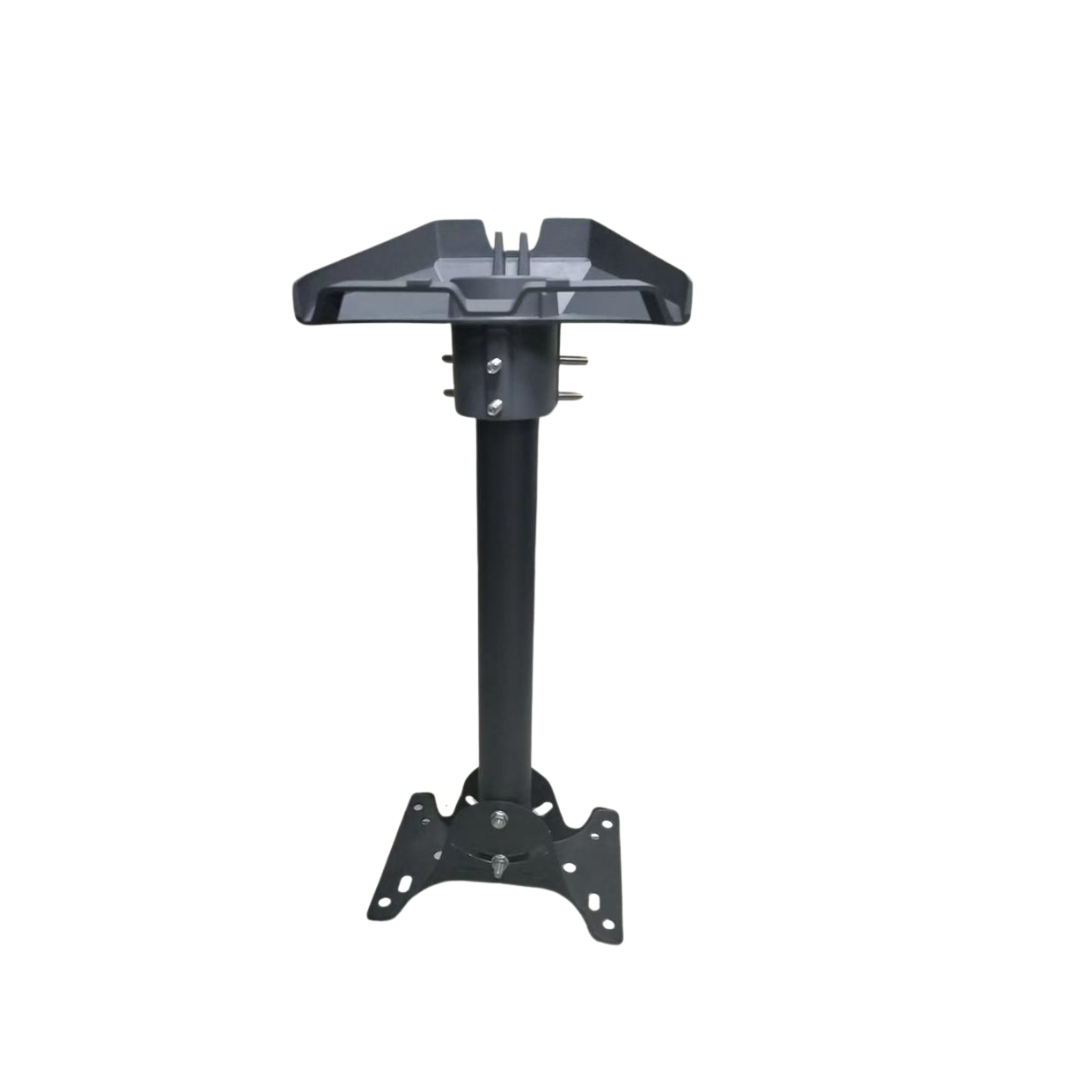
The Starlink V3 Mount is a mounting accessory designed to help secure a compatible Starlink Standard Gen 3 satellite antenna in a suitable position for reliable satellite internet connectivity. Whether you are installing Starlink at home, in an office, a retail shop or a commercial property, the right mounting solution provides stability, improves equipment placement and helps create a neat, professional installation.
A suitable mount is particularly useful when the antenna needs to be positioned on a roof, exterior wall, pole or another elevated surface to minimise obstructions. With the correct mounting accessory, users can position their Starlink equipment according to the building layout and installation requirements.
At Avidik Ventures, customers can explore technology accessories designed to support satellite internet installations, networking and everyday connectivity needs.
What Is the Starlink V3 Mount?
The Starlink V3 Mount is a general product name for mounting accessories intended for compatible Starlink Standard Gen 3 hardware. The appropriate mount depends on where and how the antenna will be installed.
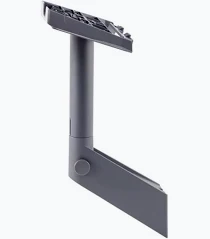
Starlink offers several mounting options for its Standard system, including wall mounts, pivot mounts, pipe adapters and mobility mounts. Each serves a different purpose, from attaching the antenna to an exterior wall to securing it to a compatible pole or vehicle mounting surface.
Selecting the correct mount is important because mounting accessories are model-specific. A mount designed for Starlink Mini or Starlink Performance should not automatically be assumed compatible with the Standard Gen 3 system.
Starlink V3 Mount – Technical Specifications
Specifications vary depending on the mounting accessory. The following details describe the official Starlink Standard Mobility Mount as one possible variant.
- Product category: Starlink Standard mounting accessory
- Compatible systems: Starlink Standard and Starlink Enterprise, for the Mobility Mount
- Mount type: Mobility and permanent surface mount
- Suitable surfaces: Wood, fibreglass, metal, plastic and compatible slotted vehicle-rack rails
- Mounting angle: 8 degrees for the Mobility Mount
- Fastener material: Stainless steel hardware
- Installation purpose: Secure attachment of compatible Starlink equipment
- Weather protection: The Mobility Mount is designed to create a waterproof seal when installed correctly
- Mount package weight: Approximately 880 g for the official Mobility Mount
These specifications apply to the official Mobility Mount, not every Starlink V3 mounting accessory. Confirm the exact mount type and hardware compatibility before ordering.
Why Choose the Starlink V3 Mount?
1. Secure Antenna Installation
A compatible mount provides a stable attachment point for your Starlink antenna. This is useful for installations where a temporary ground-level setup is unsuitable or where the antenna needs to remain in a consistent position.
Using the appropriate hardware and a structurally sound mounting surface helps reduce unwanted movement and supports a properly installed system.
2. Flexible Mounting Options
Different Starlink Standard mounts accommodate different installation environments. A wall mount is useful for exterior walls, a pivot mount supports suitable sloped-roof installations, and a pipe adapter allows attachment to compatible existing poles.
This variety makes it easier to select a mounting arrangement that suits your property without relying on improvised supports.
3. Improved Antenna Positioning
Starlink performance can be affected by obstructions such as trees, walls and nearby buildings. A suitable mount can help position the antenna where it has a clearer view of the sky.
Before permanently installing the equipment, use the Starlink app to assess the proposed location and check for obstructions.
4. Designed for Outdoor Installation
Certain official Starlink Standard mounts are designed for outdoor use. For example, the Mobility Mount features stainless-steel fasteners and a sealing design intended to help protect against water ingress when correctly installed.
Choose the mount according to the installation environment and follow the manufacturer’s instructions for sealing, fastening and cable routing.
5. A Neater, More Professional Setup
Mounting the antenna properly can reduce clutter and eliminate the need for makeshift supports. When combined with careful cable routing, it creates a more organised installation that is easier to inspect and maintain.
This is beneficial for both residential users and businesses that want their satellite internet equipment installed neatly.
Where Can You Use the Starlink V3 Mount?
Home installations
A suitable mount can secure your Starlink antenna on an appropriate roof, wall or pole, helping position it away from obstructions and making the installation more permanent.
Offices and commercial premises
Businesses can use compatible mounting accessories to install Starlink equipment in a suitable location while keeping cables organised and the surrounding area clear.
Retail shops and warehouses
Commercial properties may benefit from elevated antenna placement where nearby structures or the building layout limit ground-level positioning. The mounting solution should match the surface and environmental conditions.
Vehicle and mobile installations
The official Mobility Mount is designed for specified mounting surfaces, including compatible vehicle-rack rails. Confirm the intended use, fastening requirements and hardware compatibility before installing Starlink on a vehicle.
Remote properties
Homes, farms and remote work locations can use an appropriate mount to secure the antenna where conventional broadband is unavailable and satellite connectivity is required.
Important Compatibility and Installation Information
The term “Starlink V3 Mount” does not identify one unique mounting accessory. Before ordering, determine whether you need a wall mount, pivot mount, pipe adapter, mobility mount or another specific option.
Starlink states that mounts are specific to their supported hardware families. The Standard Gen 3 system also includes a detachable kickstand for basic setup, so an additional mount is mainly necessary when your preferred installation requires a different attachment method.
For permanent installations, use suitable fasteners, check the strength of the mounting surface and follow the manufacturer’s instructions. Roof work should be carried out with appropriate safety precautions, and cable entry points should be sealed correctly.
Why Buy the Starlink V3 Mount from Avidik Ventures?
At Avidik Ventures, customers can explore technology accessories for home, office and business connectivity. Selecting the correct Starlink mounting accessory helps ensure compatibility with your antenna and provides a suitable installation solution for your property.
Whether you are setting up a new Starlink system or improving an existing installation, verify the exact mount type before purchasing.
Choose the appropriate Starlink V3 Mount from Avidik Ventures for a secure, organised and practical satellite internet installation.


Related products
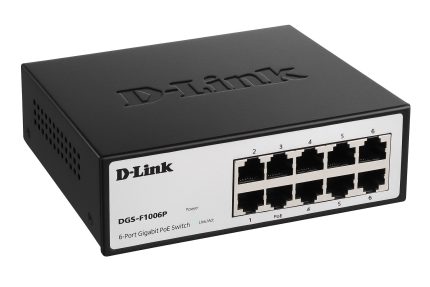
D-Link DGS-F1210-18PS-E 16-Port Gigabit Long Range 250m PoE+ Smart Switch – 2 SFP Ports
- 16 Gigabit PoE Ports: Connect and power up to 16 compatible PoE-enabled network devices.
- 250m Long-Range Mode: Supports extended Ethernet transmission for suitable surveillance installations.
- PoE+ Technology: Delivers power and data through one Ethernet cable to compatible devices.
- 2 SFP Uplink Ports: Provides fibre-optic connectivity options using compatible SFP transceivers.
- Smart Managed Functionality: Offers additional network management and control capabilities.
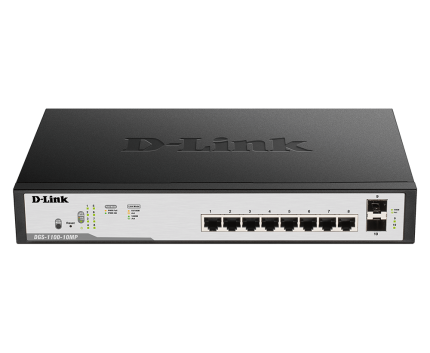
D-Link upto 250 Meter support 24-Port 1000Mbps PoE Switch with 2 SFP Ports – DGS-F1026P
- 24 Gigabit Ethernet Ports: Connect multiple network devices with speeds of up to 1000 Mbps.
- 250m Long-Range Support: Supports extended transmission distances in the appropriate operating mode.
- PoE Functionality: Delivers power and network connectivity through one Ethernet cable to compatible devices.
- 2 SFP Ports: Provides fibre-optic uplink options using compatible SFP transceivers.
- Versatile Networking Applications: Suitable for CCTV systems, offices, warehouses and commercial networks.
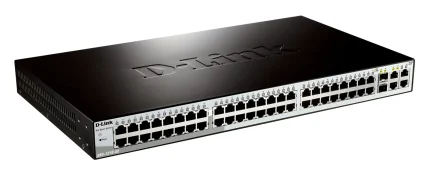
DLink DGS-1210-52 52-Port Gigabit Smart Managed Switch non-POE
- 52-Port Connectivity: 48 Gigabit Ethernet ports and 4 Gigabit SFP slots.
- Gigabit Performance: Supports 10/100/1000 Mbps wired Ethernet connections.
- Smart Management: Provides network management capabilities for better control.
- Fibre Connectivity: Four SFP slots support compatible Gigabit fibre transceivers.
- Non-PoE Design: Ideal for installations where connected devices use independent power supplies.









Reviews
There are no reviews yet.