
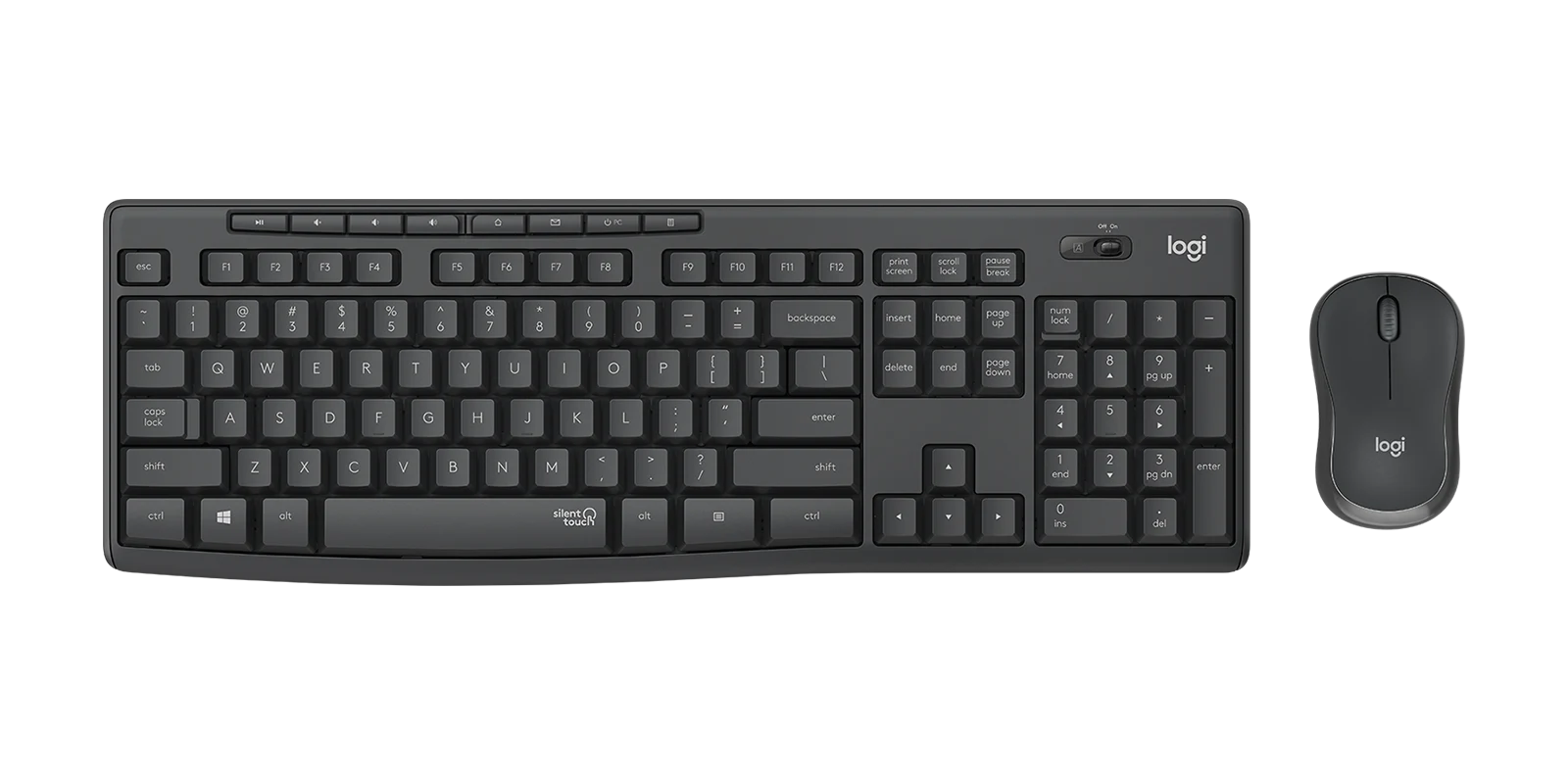
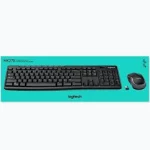

Logitech MK295 Silent Wireless Keyboard and Mouse Combo – English QWERTY Layout
KSh 5,700.00
- SilentTouch Technology: Reduces keyboard and mouse noise by over 90% compared with the Logitech MK270.
- English QWERTY Layout: Features a full-size keyboard with a numeric keypad and eight convenient shortcuts.
- Reliable Wireless Connection: Uses 2.4GHz technology with a shared USB nano receiver and a range of up to 10 metres.
- Long Battery Life: Provides up to 36 months for the keyboard and 18 months for the mouse under specified conditions.
- Durable Construction: Features spill-resistant keyboard design, durable keys and adjustable tilt legs.
Logitech MK295 Silent Wireless Keyboard and Mouse Combo – English QWERTY Layout
The Logitech MK295 Silent Wireless Keyboard and Mouse Combo is designed for users who want a quieter, more comfortable and organised computing experience. Combining a full-size English QWERTY keyboard with a compact wireless optical mouse, this combo delivers reliable performance for offices, businesses, students and home users.
Featuring Logitech’s exclusive SilentTouch technology, the MK295 reduces keyboard typing and mouse clicking noise by over 90% compared with Logitech’s MK270 combo. This makes it an excellent choice for shared offices, libraries, study areas and workspaces where reducing distractions is important.
With reliable 2.4GHz wireless connectivity, a shared USB nano receiver, extended battery life and a spill-resistant keyboard design, the Logitech MK295 offers convenience and productivity for everyday computing.
What Is the Logitech MK295 Silent?
The Logitech MK295 is a full-size wireless keyboard and mouse combination developed to provide quiet operation without sacrificing the familiar typing and clicking experience. It features a standard English QWERTY keyboard layout with a dedicated numeric keypad, eight convenient shortcuts and a compact optical mouse.
Both devices connect through one small USB nano receiver using Logitech’s 2.4GHz wireless technology. This provides an operating range of up to 10 metres while helping eliminate unnecessary cables around your workstation.
The MK295 is particularly useful for professionals and individuals who spend extended periods typing, browsing, preparing documents or working with spreadsheets.
Technical Specifications
Keyboard
- Brand: Logitech
- Model: MK295 Silent
- Layout: English QWERTY
- Type: Full-size wireless keyboard
- Technology: SilentTouch
- Connectivity: 2.4GHz wireless
- Wireless Range: Up to 10 metres
- Special Keys: Eight convenient shortcuts
- Numeric Keypad: Yes
- Battery: 2 AAA alkaline batteries
- Battery Life: Up to 36 months
- Spill Resistance: Tested to withstand spills of up to 60 ml under limited conditions
- Key Durability: Tested for up to 7 million keystrokes
- Dimensions: 441 × 149 × 22.75 mm
- Weight: Approximately 495 g with batteries
Mouse
- Type: Wireless optical mouse
- Technology: SilentTouch
- Sensor Resolution: 1,000 DPI
- Buttons: Three, including clickable scroll wheel
- Connectivity: 2.4GHz wireless
- Wireless Range: Up to 10 metres
- Battery: 1 AA alkaline battery
- Battery Life: Up to 18 months
- Dimensions: 99 × 60 × 39 mm
- Weight: Approximately 74 g with battery
- Design: Compact, contoured shape
General
- Colour: Graphite/Black
- Wireless Receiver: Shared USB nano receiver
- Installation: Plug and play
- Compatibility: Windows and ChromeOS
- Package Contents: Wireless keyboard, wireless mouse, USB receiver, 2 AAA batteries, 1 AA battery and documentation
Why Choose the Logitech MK295 Silent?
1. SilentTouch Technology for Quieter Working
One of the biggest advantages of the Logitech MK295 is its SilentTouch technology, which reduces over 90% of disruptive typing and clicking noise compared with the Logitech MK270.
The keyboard provides a familiar typing feel while the mouse offers quieter clicking and scrolling. This makes it suitable for environments where concentration and minimal noise are important.
2. Full-Size English QWERTY Keyboard
The MK295 features a comfortable full-size English QWERTY layout with a dedicated numeric keypad. Its familiar arrangement makes typing documents, preparing reports, entering figures and navigating computer applications convenient.
The keyboard also includes eight shortcut keys for accessing frequently used functions such as media playback, volume adjustment, email, internet home and calculator.
3. Reliable 2.4GHz Wireless Connectivity
Enjoy a clean, cable-free workstation with Logitech’s 2.4GHz wireless technology. The keyboard and mouse share one compact USB nano receiver, providing a wireless operating range of up to 10 metres.
The receiver is small enough to remain connected to your computer, helping reduce desk clutter while providing dependable everyday connectivity.
4. Extended Battery Life
The Logitech MK295 is designed for efficient power consumption, reducing the inconvenience of frequent battery replacement.
The keyboard provides up to 36 months of battery life, while the mouse offers up to 18 months under specified usage conditions. The keyboard uses two AAA batteries, while the mouse operates using one AA battery.
Both devices feature convenient power switches to help conserve energy when not in use.
5. Comfortable and Compact Wireless Mouse
The included optical mouse features a contoured design that fits comfortably in the hand. Its 1,000 DPI optical tracking provides smooth cursor movement for browsing, document editing and everyday computer navigation.
The three-button layout includes left-click, right-click and a clickable scroll wheel. SilentTouch technology also reduces clicking noise, helping maintain a quieter workspace.
6. Spill-Resistant and Durable Construction
The keyboard features a spill-resistant design tested under limited conditions to withstand accidental spills of up to 60 ml. Its durable keys and sturdy adjustable tilt legs provide additional convenience for everyday office use.
The keyboard is not waterproof and should never be immersed in liquid.
Where Can You Use the Logitech MK295 Silent?
The Logitech MK295 is suitable for several professional and personal environments:
- Corporate offices: Reduce typing and clicking noise in shared workspaces.
- Libraries and study areas: Enjoy quieter computer operation while working or studying.
- Home offices: Create a comfortable wireless workstation for remote work and personal computing.
- Accounting departments: Use the dedicated numeric keypad for spreadsheets and financial data entry.
- Schools and universities: Equip computer workstations with comfortable, quiet wireless peripherals.
- Business environments: Handle emails, reports, presentations and everyday administrative tasks.
Compatibility and Connectivity
The Logitech MK295 connects through a shared 2.4GHz USB nano receiver. It is designed for compatible Windows and ChromeOS devices with an available USB port.
The keyboard and mouse do not use Bluetooth, so the supplied USB receiver is required for wireless operation. Basic plug-and-play functionality makes installation straightforward without complicated configuration.
The English QWERTY layout is suitable for users who prefer the standard English keyboard arrangement. Regional versions may have different part numbers or packaging.
Why Buy from Avidik Ventures?
At Avidik Ventures, we provide practical technology solutions for businesses, professionals, students and home users. Our product range includes Logitech keyboards, wireless mice, computer accessories, printers, networking equipment and other essential office technology products.
The Logitech MK295 Silent is an excellent choice for anyone looking for a quiet wireless keyboard and mouse combination. Its SilentTouch technology, full-size English layout, reliable connectivity and extended battery life make it a practical addition to modern workspaces.
Visit Avidik Ventures to explore our range of Logitech accessories and computer products. Upgrade your workstation with the Logitech MK295 Silent Wireless Combo and enjoy a quieter, more productive computing experience.
















Reviews
There are no reviews yet.