
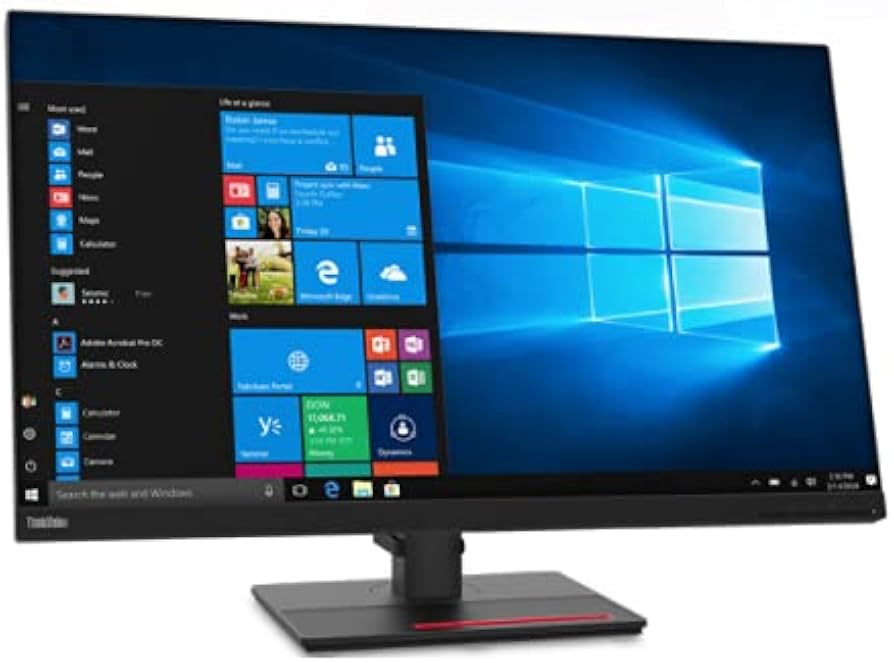
Lenovo ThinkVision T32h-30 31.5-Inch QHD Monitor – USB-C Business Display
KSh 64,500.00
- Large QHD Display: 31.5-inch screen with 2560 x 1440 resolution for detailed visuals and multitasking.
- IPS Colour Performance: 99% sRGB coverage and wide 178-degree viewing angles.
- USB-C Power Delivery: Connect compatible laptops and deliver up to 90W of power through one cable.
- Integrated Connectivity Hub: Includes USB ports, HDMI, DisplayPort and Gigabit Ethernet.
- Ergonomic Design: Height, tilt, swivel and pivot adjustments with a three-sided NearEdgeless design.
Lenovo ThinkVision T32h-30 31.5-Inch QHD Monitor – USB-C Business Display
Upgrade your workspace with the Lenovo ThinkVision T32h-30 31.5-Inch QHD Monitor, designed for professionals, businesses and users who need a spacious, high-resolution display for productivity and everyday computing. Featuring a large 31.5-inch IPS panel with 2560 x 1440 QHD resolution, this monitor delivers sharp visuals, accurate colours and comfortable viewing for demanding office tasks.
With USB Type-C connectivity, HDMI and DisplayPort inputs, the ThinkVision T32h-30 offers flexible connections for modern computers and laptops. Its USB-C port supports up to 90W power delivery, allowing compatible laptops to receive power while transmitting video and data through a single cable. The ergonomic stand, three-sided NearEdgeless design and integrated USB hub make it a practical addition to professional workstations.
What Is the Lenovo ThinkVision T32h-30?
The Lenovo ThinkVision T32h-30 is a professional 31.5-inch QHD monitor built for productivity, multitasking and business environments. Its In-Plane Switching (IPS) technology provides wide viewing angles and consistent colour reproduction, making it suitable for spreadsheets, presentations, content creation and multimedia use.
Unlike standard Full HD monitors, its QHD resolution provides more screen detail and workspace, allowing users to view more content without constantly switching between windows. Its USB-C docking capabilities also help simplify desktop setups by reducing cable clutter.
Technical Specifications
- Brand: Lenovo
- Product Series: ThinkVision
- Model: T32h-30
- Product Type: Business Monitor
- Screen Size: 31.5 inches
- Panel Type: IPS (In-Plane Switching)
- Resolution: 2560 x 1440 pixels (QHD)
- Aspect Ratio: 16:9
- Refresh Rate: 60Hz
- Response Time: 4ms Extreme Mode / 6ms Normal Mode
- Brightness: 350 cd/m²
- Contrast Ratio: 1000:1
- Viewing Angles: 178° horizontal / 178° vertical
- Colour Coverage: 99% sRGB
- Colour Support: 1.07 billion colours
- Colour Depth: 10-bit (8-bit + FRC)
- Screen Surface: Anti-glare
- Design: Three-sided NearEdgeless
- USB-C: USB 3.2 Gen 1 with DisplayPort 1.4 Alt Mode and up to 90W power delivery
- Video Inputs: 1 x HDMI, 1 x DisplayPort 1.4
- USB Hub: 4 x USB 3.2 Gen 1 downstream ports
- Network Port: 1 x Gigabit Ethernet (RJ-45)
- Audio: 1 x 3.5mm audio output
- Eye Comfort: Natural Low Blue Light
- Mounting: VESA 100 x 100mm
- Stand Adjustment: Height, tilt, swivel and pivot
Why Choose the Lenovo ThinkVision T32h-30?
1. Large 31.5-Inch QHD Display
Enjoy more screen space with the 31.5-inch QHD display. Its 2560 x 1440 resolution delivers sharper images and more workspace than a standard Full HD monitor.
This makes it easier to work with large spreadsheets, multiple documents, business applications and detailed presentations. The larger viewing area also provides an enjoyable experience when watching videos and handling everyday multimedia tasks.
2. IPS Technology with Accurate Colours
The IPS panel provides wide 178-degree viewing angles, helping maintain consistent image quality when viewing the screen from different positions.
With 99% sRGB colour coverage and support for 1.07 billion colours, the monitor delivers detailed colour reproduction for presentations, everyday graphic design and professional office work.
3. USB-C Connectivity with 90W Power Delivery
One of the standout features of the ThinkVision T32h-30 is its USB-C connection. It supports video, data and up to 90W power delivery through a single compatible cable.
This allows supported laptops to connect to the monitor while receiving power, helping create a cleaner workstation with fewer cables. The monitor also supports USB peripherals through its integrated USB hub.
4. HDMI and DisplayPort Connectivity
The monitor includes HDMI and DisplayPort inputs, giving users additional options for connecting desktop computers, laptops and other compatible devices.
This flexibility makes it suitable for different workstation configurations, whether you are setting up a new office or upgrading an existing computer display.
5. Integrated USB Hub and Ethernet Connectivity
The ThinkVision T32h-30 functions as more than a display. Its four USB 3.2 Gen 1 downstream ports allow you to connect compatible peripherals such as keyboards, mice and USB accessories.
The built-in Gigabit Ethernet port also provides a wired network connection through the monitor’s compatible USB-C connection, helping simplify laptop docking setups.
6. Ergonomic Design for Comfortable Working
The adjustable stand supports height adjustment, tilt, swivel and pivot, allowing you to position the screen according to your preferred working posture.
Its three-sided NearEdgeless design provides a modern appearance and makes it suitable for multi-monitor workstations. Natural Low Blue Light technology and the anti-glare screen also support comfortable everyday viewing.
Where Can You Use the Lenovo ThinkVision T32h-30?
The Lenovo ThinkVision T32h-30 is suitable for several professional and personal environments:
- Corporate offices: Handle business applications, reports, spreadsheets and presentations.
- Home offices: Build a productive workstation with USB-C laptop connectivity.
- Financial departments: Work with detailed spreadsheets and multiple information windows.
- Creative workspaces: Handle presentations, graphics and colour-sensitive everyday tasks.
- Educational institutions: Support research, online learning and administrative work.
- Business workstations: Connect compatible laptops and peripherals through a simplified docking setup.
Compatibility and Connectivity
The Lenovo ThinkVision T32h-30 supports computers and laptops with compatible USB-C DisplayPort Alt Mode, HDMI or DisplayPort outputs. Its USB-C port provides up to 90W power delivery, although actual charging capacity depends on the connected laptop and monitor configuration.
The integrated USB hub and Ethernet port are particularly useful when connecting a compatible laptop through USB-C. The monitor also supports Windows 10 and Windows 11, with additional display-management functionality available through Lenovo ThinkColour on supported systems.
Why Buy the Lenovo ThinkVision T32h-30 from Avidik Ventures?
At Avidik Ventures, we provide technology products and accessories designed to support businesses, professionals, students and home users. Our range includes computer monitors, laptops, printers, networking equipment and essential office technology solutions.
We aim to make it convenient to find suitable technology for your workspace through accessible online shopping and a range of business and personal computing products.
Visit Avidik Ventures today to explore the Lenovo ThinkVision T32h-30 31.5-inch QHD Monitor and upgrade your workstation with a spacious, high-resolution display and versatile USB-C connectivity.


Related products
Dahua 23.8-inch FHD LED Monitor – 1920 x 1080, 100Hz
- 23.8-inch Full HD Display: Enjoy clear 1920 x 1080 resolution for work, study and entertainment.
- 100Hz Refresh Rate: Experience smoother screen movement through a compatible HDMI connection.
- VA Panel Technology: Benefit from strong contrast and wide viewing angles.
- HDMI and VGA Connectivity: Connect modern and older compatible computers with ease.
- Compact Modern Design: A practical display for offices, home workstations and educational environments.
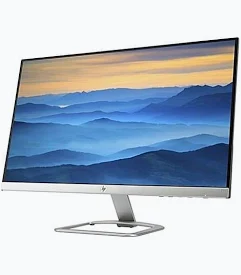
HP E27q G4 27-inch QHD IPS Monitor – 2560 x 1440, 60Hz, 5ms
- 27-inch QHD Display: Enjoy detailed 2560 x 1440 resolution for clear visuals and improved workspace.
- IPS Panel Technology: Experience consistent image quality with wide 178-degree viewing angles.
- Multiple Connectivity Options: Connect compatible devices through VGA, HDMI, DisplayPort and four USB-A ports.
- Ergonomic Adjustability: Customise your viewing position with height, tilt, swivel and pivot adjustments.
- Eye Comfort Features: Work more comfortably with HP Eye Ease, flicker-free technology and an anti-glare screen.
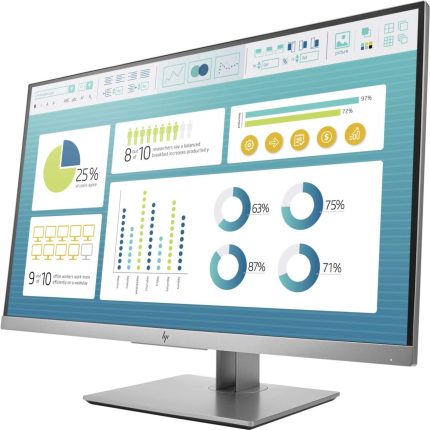
HP EliteDisplay E273 27-Inch LED Backlit Monitor – Full HD IPS Display
- 27-Inch Full HD Display: Enjoy clear 1920 x 1080 resolution for professional and everyday computing.
- IPS Panel Technology: Benefit from wide 178-degree viewing angles and consistent visuals.
- Ergonomic Adjustable Stand: Adjust height, tilt, swivel and pivot for comfortable viewing.
- Multiple Connectivity Options: Connect compatible devices through HDMI, DisplayPort or VGA.
- Built-In USB 3.0 Hub: Connect compatible accessories using the monitor's additional USB ports.
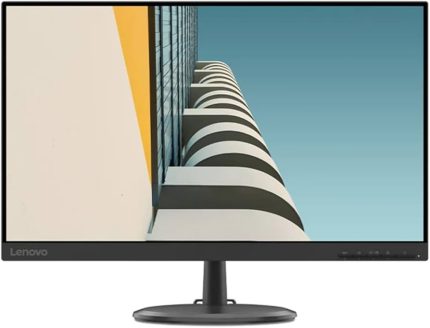
Lenovo C27-40 27-Inch FHD VA Monitor – 75Hz Display with AMD FreeSync
- Large 27-Inch Display: Enjoy Full HD 1920 x 1080 resolution for work and entertainment.
- High Contrast VA Panel: Experience a 3000:1 contrast ratio and rich image detail.
- Smooth 75Hz Refresh Rate: Enjoy responsive everyday viewing with AMD FreeSync support.
- Flexible Connectivity: Connect through HDMI 1.4 or VGA, with an HDMI cable included.
- Modern NearEdgeless Design: Benefit from slim bezels, anti-glare technology and VESA mounting support.
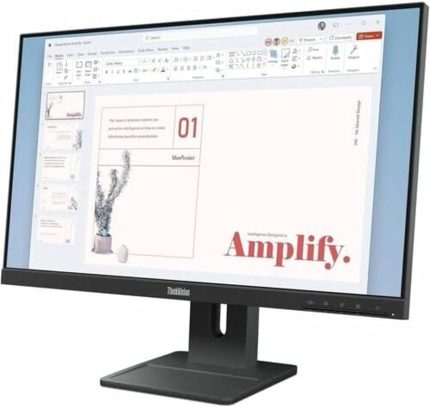
Lenovo ThinkVision E24-40 23.8-Inch FHD Monitor – 100Hz IPS Display with Built-In Speakers
- 23.8-Inch Full HD Display: Enjoy clear 1920 x 1080 resolution for work and entertainment.
- 100Hz Refresh Rate: Experience smoother scrolling and on-screen movement.
- IPS Technology: Benefit from wide 178-degree viewing angles and 99% sRGB colour coverage.
- Flexible Connectivity: Connect through HDMI 1.4, DisplayPort 1.2 or VGA.
- Built-In Speakers: Enjoy convenient audio through integrated 2W x 2 speakers.
Lenovo ThinkVision S24-4e 23.8-Inch FHD Monitor
- 23.8-Inch Full HD Display: Enjoy clear 1920 x 1080 resolution for everyday computing.
- 100Hz Refresh Rate: Experience smoother scrolling and on-screen movement.
- IPS Panel Technology: Benefit from wide 178-degree viewing angles.
- Eye Comfort Features: Reduce common sources of viewing discomfort with Low Blue Light and Flicker-Free technology.
- Flexible Connectivity: Connect compatible devices using HDMI 1.4 and VGA.
Lenovo ThinkVision S24i-30 23.8-Inch FHD Monitor – IPS Anti-Glare Display
- Full HD Display: 23.8-inch screen with 1920 x 1080 resolution for clear visuals.
- IPS Technology: Wide 178-degree viewing angles and 99% sRGB colour coverage.
- Smooth Performance: 100Hz refresh rate for smoother scrolling and screen movement.
- Eye Comfort: Anti-glare screen and Natural Low Blue Light technology.
- Flexible Connectivity: HDMI 1.4, VGA and 3.5mm audio output.
MSI MAG 342CQRF E20 34-inch Curved Gaming Monitor – UWQHD 200Hz
- 34-inch 1500R Curved Screen: Enjoy an immersive ultrawide gaming and entertainment experience.
- 3440 x 1440 UWQHD Resolution: Experience detailed visuals and more horizontal screen space.
- 200Hz Refresh Rate: Benefit from smoother motion in fast-paced games.
- 0.5ms GtG Response Time: Enjoy responsive pixel transitions for clearer fast-moving scenes.
- AMD FreeSync Premium: Reduce screen tearing and stuttering with compatible graphics hardware.









Reviews
There are no reviews yet.