
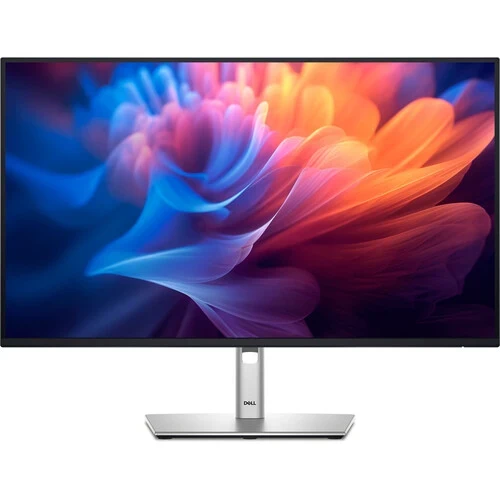
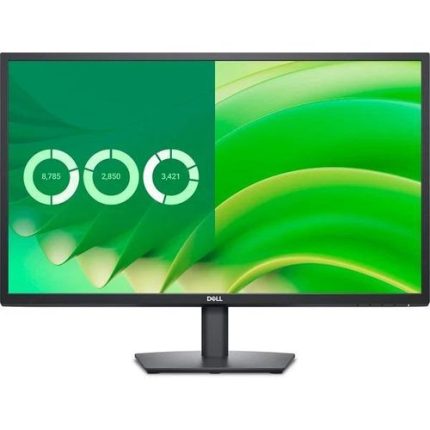
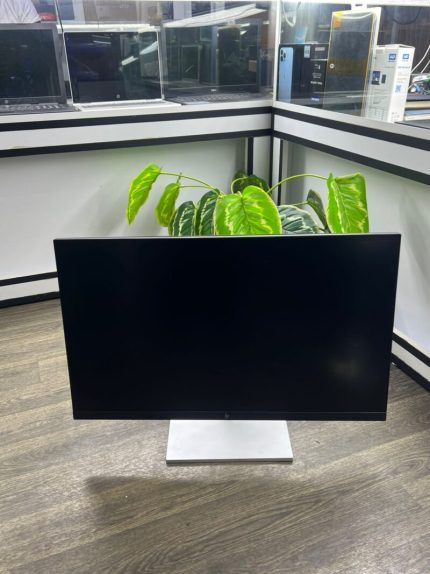
Dell P2725H FHD Monitor: Dell P2725H 27″ FHD Monitor, Height/Tilt/Swivel/Pivot Adjustable Stand, Black Color
KSh 31,000.00
- 27-inch Full HD IPS display with 100 Hz refresh rate
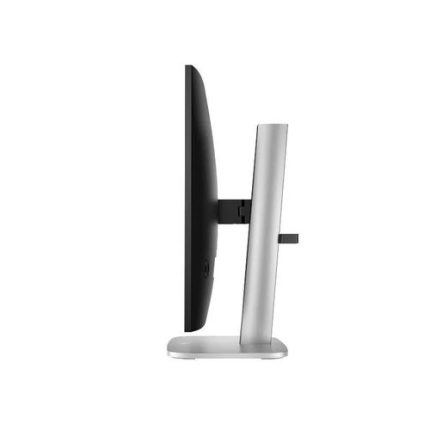
- Height, tilt, swivel and pivot adjustable stand
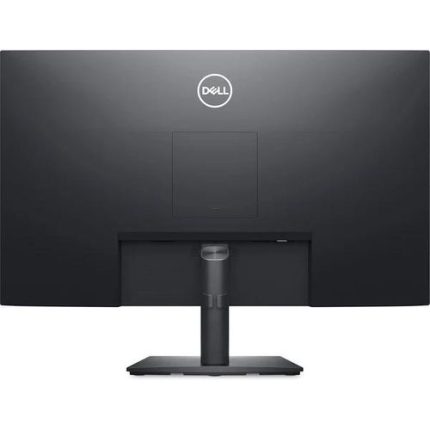
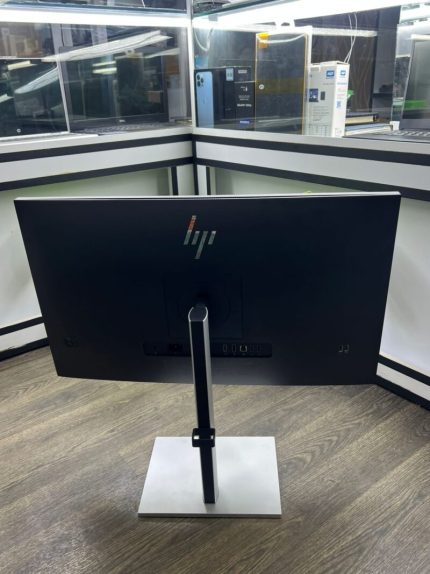
- Built-in USB 3.2 hub with Type-C, Type-A and Type-B ports
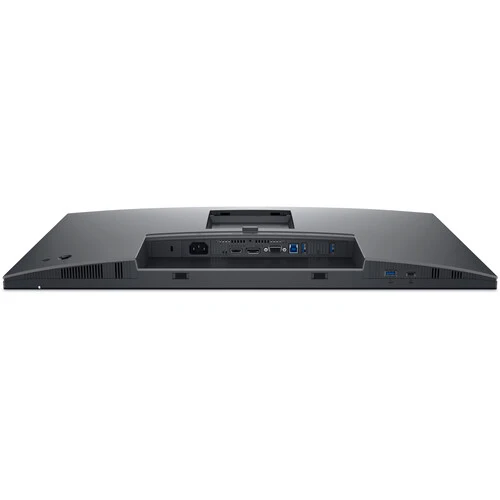
- VGA, HDMI 1.4 and DisplayPort 1.2 connectivity
- Dell ComfortView and flicker-free eye comfort
Dell P2725H FHD Monitor: Dell P2725H 27″ FHD Monitor, Height/Tilt/Swivel/Pivot Adjustable Stand, Black Color
The Dell P2725H FHD Monitor delivers a spacious 27-inch Full HD IPS display built for demanding office days. It combines a fully adjustable stand with a built-in USB hub for tidy, flexible workstations. Teams choosing reliable business monitors want dependable image quality, comfort and connectivity. This model from Dell delivers all three in one slim, black package.
Dell P2725H FHD Monitor Product Details
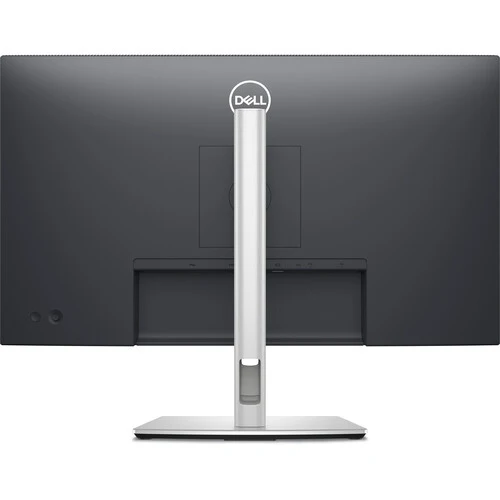
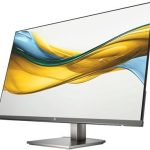
This is a 27-inch Full HD monitor from Dell’s P-series business line. It uses an IPS panel with a 100 Hz refresh rate for smooth, consistent images. The stand adjusts for height, tilt, swivel and pivot, so the screen fits any desk.
A USB 3.2 hub with Type-C, Type-A and Type-B ports reduces cable clutter. Pair it with a docking station for a clean, productive desk.
Dell P2725H FHD Monitor Technical Specifications
Review the full technical specifications below, and protect your setup with a reliable UPS or surge protector.
- Model: Dell P2725H
- Screen size: 27 inches, 16:9 flat
- Panel: IPS, LED backlit
- Resolution: 1920 x 1080 Full HD
- Refresh rate: up to 100 Hz
- Response time: 5 ms (fast mode), 8 ms (normal mode)
- Brightness: 300 cd/m²
- Contrast ratio: 1500:1 typical
- Colour support: 99% sRGB, 16.7 million colours
- Viewing angle: 178° horizontal and vertical
- Eye comfort: Dell ComfortView, flicker-free
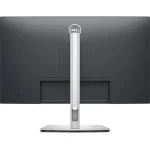
- Stand: height, tilt, swivel and pivot adjustable
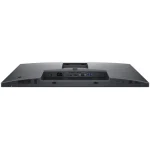
- Video ports: 1 VGA, 1 HDMI 1.4, 1 DisplayPort 1.2
- USB upstream: 1 USB 3.2 Gen1 Type-B
- USB downstream: 3 USB 3.2 Gen1 Type-A
- USB-C: 1 USB 3.2 Gen1 Type-C downstream, up to 15W PD (data only)
- Software: Dell Display Manager
- Colour: black
Why the Dell P2725H FHD Monitor Stands Out
Several practical strengths make this display a smart choice for work and study. Here is what sets it apart.
Clear 100 Hz IPS Visuals
The IPS panel keeps colours consistent from almost any seating angle. With 99% sRGB coverage, documents, charts and photos look accurate and natural. A 100 Hz refresh rate makes scrolling and cursor movement noticeably smoother than 60 Hz screens.
Fast mode brings the response time down to 5 ms. Store large project files safely on reliable external storage.
Fully Adjustable Ergonomic Stand
Few monitors in this class offer height, tilt, swivel and pivot adjustment. Portrait mode suits long documents, code and web pages. Dell ComfortView helps reduce harmful blue light, and flicker-free technology limits eye fatigue.
Together they support long working sessions with less strain. Complete the desk with a comfortable mouse pad and wrist rest.
Built-In USB Hub Connectivity
One upstream Type-B port feeds a hub with three Type-A ports and one Type-C port. Connect keyboards, mice, flash drives and phones directly to the screen. The Type-C port supports data transfer, with up to 15W of power for small devices.
Three video inputs cover older and newer devices: VGA, HDMI 1.4 and DisplayPort 1.2. Build a dependable office network with our networking equipment.
Use Cases for the Dell P2725H FHD Monitor
This versatile display fits many environments. Here are the people who benefit from it most.
Corporate Offices and Finance Teams
Accountants, analysts and administrators can view spreadsheets and reports side by side. Pivot mode shows long ledgers and databases with minimal scrolling. Matching dual monitors create a neat, seamless workstation.
IT managers value Dell Display Manager for quick window layouts across many desks. Boardrooms can pair it with a projector for presentations.
Remote Workers and Developers
Programmers can keep code, terminals and documentation open in portrait orientation. Connect a work laptop through DisplayPort and a personal device through HDMI. Hybrid workers switch inputs quickly without unplugging any cables.
The built-in USB ports keep peripherals plugged in right at the screen. Choose a quality headset for clear video calls.
Students and Education Labs
Schools and colleges can standardise on durable monitors with easy VGA and HDMI compatibility. Students enjoy lecture videos, research and assignments on a comfortable display. Eye-care features support long study sessions.
Lab managers value PowerNap mode, which lowers energy use when screens sit idle. For sound, pair it with compact desktop speakers.
Why Buy the Dell P2725H FHD Monitor at Avidik Ventures
Avidik Ventures supplies original IT equipment to businesses, schools and individuals across Kenya. Each monitor is inspected before dispatch and supported by responsive after-sales service. Our specialists advise on compatible cables, docks and accessories, and we arrange reliable delivery. Customers return to us for honest guidance and consistent quality. Place your order today through our website, or explore our full catalogue for complementary products. Equip your workspace with Avidik Ventures now.














Reviews
There are no reviews yet.