
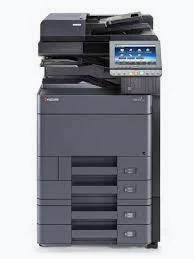
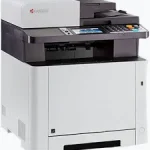
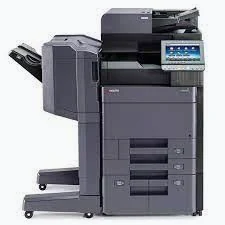
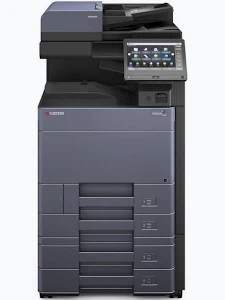
Kyocera TASKalfa 350ci Colour Multifunction Printer
KSh 45,000.00
- Up to 35 pages per minute in colour and monochrome
- Integrated printing, copying, scanning, and faxing
- 7-inch full-colour touchscreen
- Automatic duplex functionality
- Expandable paper capacity up to 1,850 sheets
Kyocera TASKalfa 350ci Colour Multifunction Printer
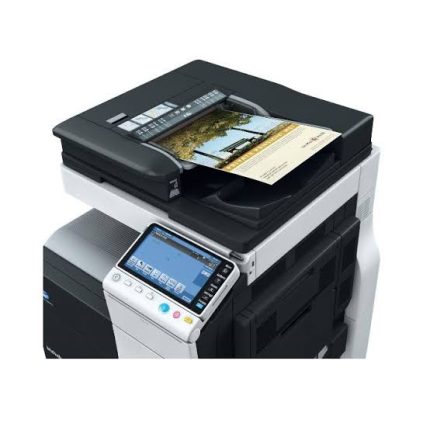
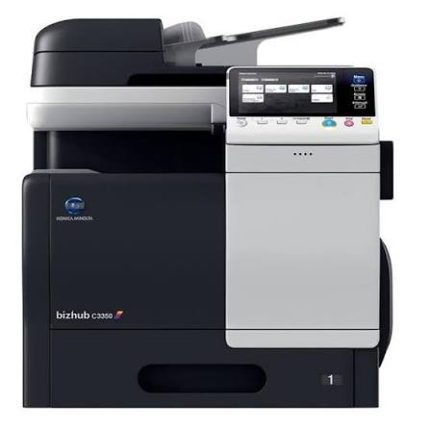
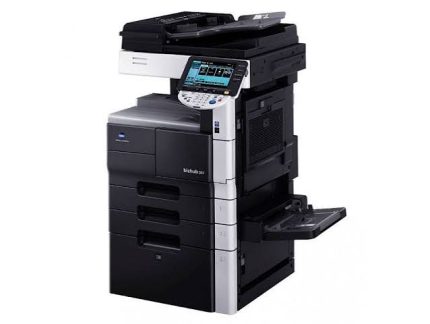
The Kyocera TASKalfa 350ci Colour Multifunction Printer is a compact office solution designed for businesses requiring dependable colour printing, copying, scanning, and faxing. It delivers speeds of up to 35 pages per minute in colour and black and white on A4 paper. Its touchscreen interface, flexible paper handling, and network connectivity support productive document management.
Built for small and medium-sized workgroups, this multifunction system combines professional document output with practical office features. Automatic duplex functionality helps reduce manual paper handling across supported print, copy, scan, and fax workflows. Its HyPAS platform also supports compatible applications that can streamline everyday document processes.
What It Is
The Kyocera TASKalfa 350ci is an A4 colour laser multifunction printer with integrated print, copy, scan, and fax capabilities. Its 7-inch full-colour touchscreen provides a central interface for accessing common functions and adjusting settings.
A 75-sheet reversing document processor supports multi-page originals, while scanning features allow users to send documents to email, network folders, FTP destinations, and USB storage. Gigabit Ethernet enables shared access across a compatible wired office network.
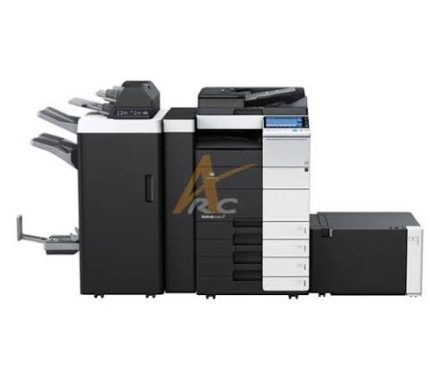
The machine also supports expandable paper handling and optional storage accessories. These options help organisations adapt the system to their document volumes and workflow requirements.
Technical Specifications
- Brand: Kyocera
- Model: TASKalfa 350ci
- Printer type: Colour laser multifunction printer
- Core functions: Print, copy, scan, fax
- Print speed: Up to 35 pages per minute in colour and monochrome on A4
- Print resolution: 600 × 600 dpi, with multibit print quality up to 9,600 × 600 dpi
- Control panel: 7-inch full-colour touchscreen
- Processor: PowerPC 465S, 1 GHz
- Memory: 1 GB standard, expandable to 2 GB
- Standard paper capacity: 350 sheets, comprising a 250-sheet cassette and 100-sheet multipurpose tray
- Maximum paper capacity: Up to 1,850 sheets with supported optional feeders
- Document processor: 75-sheet reversing document processor
- Scanning speed: Up to 60 images per minute for supported monochrome settings
- Automatic duplex: Standard
- Network connectivity: Gigabit Ethernet
- USB connectivity: USB 2.0 and USB host interfaces
- Maximum monthly duty cycle: Up to 100,000 pages
- Warm-up time: Approximately 25 seconds or less
- First print time: Approximately 7 seconds monochrome and 8.5 seconds colour
- Dimensions: Approximately 475 × 558 × 616 mm
- Weight: Approximately 35.4 kg
- Power supply: 220–240 V AC, 50/60 Hz
Specifications reflect the manufacturer’s published datasheet. Actual performance depends on settings, media, workload, and installed accessories.
Why Choose the Kyocera TASKalfa 350ci Colour Multifunction Printer?
Fast Colour and Monochrome Printing
The TASKalfa 350ci prints up to 35 A4 pages per minute in both colour and black and white. This speed helps offices process correspondence, reports, presentations, and administrative documents efficiently.
Its multibit technology supports detailed output for text, graphics, and colour materials. Businesses can prepare professional documents from one shared device instead of relying on separate colour and monochrome printers.
Automatic duplex printing makes double-sided documents easier to produce. This feature is particularly useful for lengthy reports, training materials, and internal business documentation.
Integrated Copying and Scanning
The built-in copier supports everyday duplication tasks, with adjustable enlargement and reduction from 25% to 400%. Users can reproduce forms, resize documents, and prepare multiple copies without transferring work to another machine.
Scanning supports email, network folders, FTP, and USB destinations. The 75-sheet document processor helps handle multi-page paperwork, while supported scanning settings can reach 60 images per minute for monochrome originals.
These features support digital archiving, document sharing, and office recordkeeping. Scan settings and destinations can be configured to suit the organisation’s network and security requirements.
Convenient Touchscreen Operation
The 7-inch colour touchscreen provides a clear interface for common printing, copying, scanning, and faxing tasks. Users can access configured functions and adjust document settings directly from the machine.
Programmable keys and compatible HyPAS applications can simplify repeated workflows. This is useful for departments that regularly process similar forms or send scanned files to established destinations.
Flexible Paper Handling
The standard 350-sheet input capacity supports everyday office printing. Optional paper feeders can increase the total capacity to 1,850 sheets, reducing the need for frequent paper replenishment.
The multipurpose tray accommodates different media sizes and weights within the manufacturer’s stated limits. This flexibility helps businesses print a range of documents, including envelopes and compatible specialist media.
Network Connectivity and Office Integration
Gigabit Ethernet allows the printer to be shared across compatible office computers. Supported scanning functions help teams move information from paper into digital workflows.
Optional wireless networking is available through compatible accessories. Businesses should confirm whether the required network interface is installed before purchase. Security settings should also be configured according to the organisation’s IT policies.
Suitable Applications and Users
The Kyocera TASKalfa 350ci is suitable for small and medium-sized businesses, schools, administrative departments, professional offices, and document service environments. Its colour output supports reports, presentations, notices, and client-facing documents.
Educational institutions can use it for learning materials and administration. Corporate offices can print correspondence, scan records, and reproduce internal reports. Professional service teams can use the fax function and digital document workflows for routine paperwork.
Its expandable paper capacity also benefits departments with recurring print jobs. Buyers should assess expected monthly usage, scanning volume, network requirements, and accessory availability before selecting a configuration.
Why Buy from Avidik Ventures?
Avidik Ventures helps businesses explore office printing equipment suited to their document management needs. Before purchasing the Kyocera TASKalfa 350ci, confirm the unit’s condition, included accessories, consumable status, and regional configuration. Visit avidikventures.co.ke to enquire about office printing and document-processing solutions for your organisation.











Reviews
There are no reviews yet.